October 28, 2026

Soical Media Marketing, Uncategorized

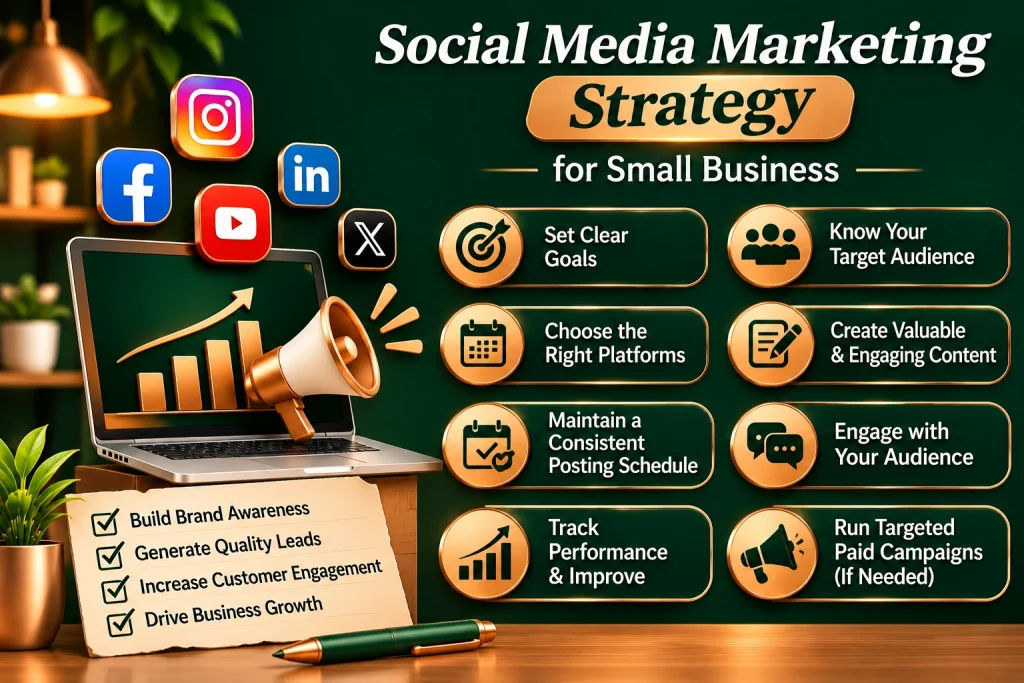
Social Media Marketing Strategy for Small Businesses

Social Media Marketing Strategy for Small Businesses If you run a small business, you have probably noticed how much time people spend on social media. Customers are discovering new brands on Instagram, asking questions on Facebook, watching videos on YouTube, and even researching businesses before deciding whether to buy from them. That makes social media a best opportunity for small businesses. The good news is that you don’t need a huge marketing budget or millions of followers to make social media work. What you really need is a clear strategy, useful content, consistency, and a good understanding of the people you want to reach. But there is one common mistake businesses make: they treat social media as simply a place to post something every day. Posting regularly is helpful, but it isn’t the whole strategy A successful social media presence is about creating content that people actually want to see, starting conversations, building trust, and eventually turning interested followers into customers. In this guide, we’ll look at how you can create a practical social media marketing strategy for your small business and use it to build a stronger online presence. What Is Social Media Marketing? In simple terms, social media marketing means using platforms such as Instagram, Facebook, LinkedIn, and YouTube to promote your business and connect with your audience. It can involve many different activities, including: Sharing useful content Posting photos and videos Answering customer questions Promoting products or services Running paid advertisements Sharing customer reviews Driving traffic to your website Generating leads Building a community around your brand The important thing to remember is that social media shouldn’t be treated as just another advertising channel. People want to connect with real businesses and real people. That’s why helpful, relatable, and genuine content often has a much better chance of getting attention than constant promotional posts. Why Social Media Marketing Is Important for Small Businesses Large companies often have dedicated marketing teams and big advertising budgets. Small businesses usually don’t have the same resources. Social media can give smaller businesses a way to compete for attention without needing a massive budget. 1. It Helps People Discover Your Business Before becomes your customer, they need to know your business exists. Regularly sharing useful content can put your business in front of potential customers and help them become familiar with your brand. Over time, that familiarity can make a difference when they’re ready to buy.  2. You Can Talk Directly to Customers One of the best things about social media is that communication goes both ways. A customer can comment on your post, send you a message, ask a question, or share feedback. You can respond directly instead of relying only on traditional advertising. For a small business, that personal interaction can be extremely valuable. 3. It Can Bring More Traffic and Leads Social media can also send people to your website. For example, you could publish a helpful post about a problem your customers face and link it to a detailed article on your website. You can also use social media campaigns to encourage people to request a quote, book a consultation, fill out a form, or contact your business 4. It Helps Build Trust People are more suitable buying from businesses they understand and trust. Social media gives you a chance to show the people and process behind your business. You can share customer feedback, introduce your team, show behind-the-scenes moments, answer common questions, and explain how your products or services work. These small things can make your business feel more genuine How to Create a Social Media Marketing master plan for Your Small Business You don’t need a risky marketing plan to get started. A simple strategy can work surprisingly well if you follow it consistently and keep improving it. 1. Start With a Clear Goal Before you create your first post, ask yourself: Let’s be honest: what am I actually trying to get out of social media for my business?” Your answer might be: Get more customers Generate leads Increase website traffic Build brand awareness Promote a new product Increase online sales Build a community Get more inquiries For example, saying “I want more followers” isn’t necessarily a strong business goal. Instead, you might say: Now you have something you can actually measure 2. Know Who You’re Talking To Think about your ideal customer. Ask yourself: Who are they? What problems do they have? What are they interested in? Where do they live? What kind of content do they enjoy? What questions do they usually ask? What might stop them from buying? For example, a local restaurant and a B2B software company shouldn’t use the same social media strategy. Understanding your audience helps you create content that feels relevant instead of generic. 3. Choose the Right Social Media Platforms You don’t have to create an account on every social media platform. In fact, trying to manage too many platforms at once can make your content inconsistent. Start with the platforms where your customers are most likely to spend their time. Instagram Instagram can be a strong choice for businesses that can use images and videos to showcase their products, services, people, or work. Reels, Stories, carousels, and other visual content can all be useful. Facebook Facebook can be useful for local businesses, communities, customer communication, and advertising. It can also be helpful for businesses that want to build a local audience. LinkedIn If you run a B2B company, consultancy, agency, or professional service business, LinkedIn can be particularly useful. It allows you to share industry knowledge, company updates, case studies, and professional insights.  YouTube YouTube is worth considering if your business can create educational or longer-form videos. Tutorials, product demonstrations, reviews, interviews, and how-to videos can continue attracting viewers long after they are published. The key is simple: Don’t try to be everywhere. Be consistent where your audience actually is. 4. Don’t Make Every Post an Advertisement This is one of the biggest social media mistakes
Soical Media Marketing

Instagram Reels vs YouTube Shorts

Instagram Reels vs YouTube Shorts Instagram Reels vs YouTube Shorts: Understanding the Difference Let’s be completely honest for a second. Short-form video has completely taken over our lives. Whether you are scrolling through clips while waiting for your morning coffee or swiping through videos right before bed, micro-content is how we consume information now.If you run a business, you already know you need to be making these videos. But once you sit down to actually create a strategy, you run straight into a massive dilemma: Should you put your energy into Instagram Reels or YouTube Shorts?At first glance, they look exactly the same. They are both vertical videos, they both run under a minute, and they both rely on fast-paced, engaging hooks to keep people watching.But beneath the surface, these two platforms are completely different beasts. They serve different audiences, use different algorithms, and drive entirely different types of business results.Let’s pull back the curtain and break down the real differences between Instagram Reels and YouTube Shorts, so you can stop guessing and start investing your time where it actually moves the needle. The Core Vibe: Community Culture vs. Search Value The biggest mistake business owners make is treating these two apps like identical twins. They aren’t. They have completely different DNAs. Instagram Reels: The Visual Magazine nstagram is, and always has been, a lifestyle and relationship platform. People open Instagram to see what their friends are doing, discover aesthetics, and connect with brands on a personal level. Reels thrive on trend culture, beautiful visuals, relatable humor, and emotional storytelling. When someone watches a Reel, they are looking for inspiration, connection, or a quick laugh. YouTube Shorts: The Micro-Search Engine YouTube is the second largest search engine in the world. People don’t go to YouTube to check in on their high school friends; they go there to learn how to do something, find entertainment, or solve a problem. Shorts reflect this search-heavy culture. They are highly educational, information-dense, and utilitarian. A viewer on Shorts wants you to get straight to the point and deliver the answer they typed into the search bar. How the Algorithms Choose Winners The way your videos get distributed to strangers works very differently on each platform. Understanding this keeps you from losing your mind when a video performs well on one app but flops on the other. The Reels Algorithm: Viral Velocity and Shares Instagram prioritizes immediate engagement and shareability. It looks closely at how quickly people like your video, how many friends they send it to via direct message, and whether they save it for later. Instagram relies heavily on trending audio tracks and cultural challenges to push your video into the feed of non-followers. If your content doesn’t hit a strong initial wave of interaction within the first few hours, the algorithm usually stops pushing it. The Shorts Algorithm: Viewer Retention and Search Intent YouTube cares almost entirely about viewer satisfaction, specifically Average Percentage Viewed (Retention). YouTube wants to see if a viewer stayed for the whole 30 seconds or swiped away instantly. If your retention rate is high, YouTube will throw your video into the massive “Shorts Feed” repeatedly. Furthermore, YouTube indexes your video based on keywords in your title, description, and automated transcripts, allowing it to surface in search results months after you post it. Reels are Built for Smooth Social Commerce Instagram makes it incredibly easy for a user to see a product in a Reel, tap a product tag, view the price, and check out without ever leaving the app. If you sell physical products, fashion, home decor, or lifestyle services, Reels offer a seamless bridge from attention to transaction. Furthermore, because Instagram has a native, deeply integrated messaging system, users can easily slide into your DMs to ask questions, allowing your sales team to close deals through real, direct conversations. Shelf-Life: How Long Do Your Videos Stay Alive? Your time is valuable. When you create a piece of content, you want it to work for your business for as long as possible. The longevity of your video assets varies wildly between these two ecosystems.• Instagram Reels have a short, explosive shelf-life. A typical Reel gets the vast majority of its views within the first 48 to 72 hours. Once it drops out of the main algorithmic feed, it mostly sits on your profile grid. Unless it goes completely viral and triggers massive sharing loop, it rarely gets new organic traffic weeks down the line. You have to keep feeding the machine to stay relevant.• YouTube Shorts have an evergreen shelf-life. Because Shorts are fundamentally tied to a search engine, a video you post today can suddenly start gaining thousands of views six months from now if someone types a matching question into Google or YouTube. Your content acts like an asset that accumulates value over time, driving fresh leads long after the camera was turned off. Audience Demographics and Psychological Mindsets Who is watching, and what are they expecting when they open these apps? If you ignore the mindset of the scroller, your engagement rates will suffer. The Instagram Mindset: Passive Scrolling and AspirationUsers on Instagram are often in a casual, passive state of browsing. They are influenced by visual aesthetics, lifestyle upgrades, and social status. They follow specific creators because they like who they are, not just what they teach. To win on Reels, your brand needs a distinct personality, polished formatting, and an approachable voice.The YouTube Mindset: Intent-Driven Learning YouTube users are inherently active consumers. They open the app with a specific intent—to solve an issue, watch a favorite creator’s show, or research a product purchase. Even when they wander into the Shorts feed, they maintain a hunger for substantive data. They don’t care about your flawless aesthetics or aesthetic filter; they care if you can teach them a neat trick, bust a myth, or provide a valuable shortcut in 30 seconds flat.  The Cross-Posting Trap: Why “Copy-Paste” FailsMany busy business owners think they can

Soical Media Marketing

How to Increase Engagement on Social Media

How to Increase Engagement on Social Media How to Increase Engagement on Social Media Let’s be completely honest for a second. There is nothing more frustrating than spending hours filming a video, designing a graphic, or writing a thoughtful caption, only to hit “publish” and hear absolute crickets.You check your phone an hour later. Two likes. One is from your mom, and the other is from a random bot account trying to sell you followers. It makes you want to throw your hands up and give up on social media entirely.But here is the hard truth you need to hear: Engagement isn’t something you get just because you posted. Engagement is something you earn.If your audience is just scrolling right past your content without hitting like, leaving a comment, or saving it for later, it’s not because the algorithm hates you. It is because your content isn’t giving them a reason to stop.Let’s strip away the corporate jargon and look at the real, human strategies you can use today to spike your social media engagement, build a loyal community, and turn random scrollers into paying clients. The Golden Rule: Stop Talking AT Your Audience aNobody likes being talked at. Social media is supposed to be a real conversation, not a one-sided speech.Think about the last time you were at a party and met someone who only talked about themselves, their achievements, and their products. You probably looked for the fastest excuse to walk away.Many businesses treat their profiles exactly like that annoying party guest. Every single post is: “Buy our product,” “Look at our award,” “Here is our office.” If you want people to talk to you, you have to talk with your audience, not just to them. Ask Real Questions Instead of writing a long caption and ending it with a lazy “What do you think?”, ask specific, deep questions.When someone takes 10 seconds out of their busy day to leave a comment on your post, that is a huge win. Reward them. Reply with a thoughtful sentence, not just a generic thumbs-up emoji. The 20-Minute Engagement Tax You cannot expect people to engage with your content if you act like a ghost who only drops a post and logs off. Social media networks want users to stay on their platforms, so they reward active community members. Try using this simple routine every time you publish: • 10 Minutes Before Posting: Open your app. Go to the feeds of your ideal clients, industry peers, or creators you love. Leave 5 to 10 genuine, high-value comments on their posts. Do not spam your link; just add value to the conversation.• Hit Publish: Post your content.• 10 Minutes After Posting: Stay on the app. If anyone leaves an immediate comment, reply to it right away. Scroll through your home feed and interact with a few more accounts.This active behavior tells the platform’s algorithm that you are a real human engaging with the community, which often gives your new post an initial visibility boost. Make Your Captions Easy to Read on a Phone No one wants to read a giant, intimidating block of text. If your caption looks like a legal contract or a college essay, people will scroll right past it, no matter how good the advice inside is. Make your content easy on the eyes by using simple formatting:• Write Short Sentences: Keep your thoughts punchy and direct. Active voice works best.• Embrace White Space: Break up your paragraphs. Leave a blank line after every one or two sentences. It makes the text look approachable and easy to skim on mobile devices.• Use Functional Emojis: Don’t go crazy with emojis on every word. Use them intentionally as visual anchors to highlight key takeaways Consistency Beats Volume Every Single Time Don’t overcomplicate your production schedule. You do not need to post five times a day on every single platform to build a thriving audience. Honestly, just start with a posting schedule you can realistically maintain without losing your mind.Whether that means putting out three high-quality posts a week or one really deep-dive piece every two days, pick a pace you can comfortably stick to. Consistency builds long-term trust with your audience and teaches the algorithm that you are a reliable, active creator.Consistency Beats Volume Every Single TimeDon’t overcomplicate your production schedule. You do not need to post five times a day on every single platform to build a thriving audience. Honestly, just start with a posting schedule you can realistically maintain without losing your mind.Whether that means putting out three high-quality posts a week or one really deep-dive piece every two days, pick a pace you can comfortably stick to. Consistency builds long-term trust with your audience and teaches the algorithm that you are a reliable, active creator. Frequently Asked Questions Q1 How often should a small business post to maintain good engagement? Start with a schedule you can realistically maintain. Posting 3 times a week consistently with high-quality, engaging content is far better than posting three times a day for a week, burning out, and going completely silent for a month. Q2 Do hashtags still matter for increasing engagement? Yes, but not the way they used to. Don’t spam 30 random tags in your captions. Instead, use 3 to 5 highly relevant keywords that describe exactly what your post is about. Algorithms use hashtags for categorization, helping place your content in front of the right search audience. Q3 What is the best time of day to post for maximum likes and comments? There is no universal “magic hour.” The best time to post is simply when your specific target audience is online and active. Check your account’s built-in analytics tab to see when your followers are most active during the day, and schedule your posts about 30 minutes before that peak window. Q4 Should I use automated tools to like and comment on other accounts? Absolutely not. Using bots or engagement pods to fake interaction is the fastest way

Soical Media Marketing

How Short-Form Videos Can Help Businesses Grow

How Short-Form Videos Can Help Businesses Grow How Short-Form Videos Can Help Businesses Grow Let’s be completely honest for a second. The way people buy things online has completely changed. Nobody wants to sit through a boring 20-minute product demonstration or read a massive wall of corporate text anymore.Instead, your customers are scrolling. They are watching 30-second clips while waiting for their coffee, during lunch breaks, and right before bed.If you are not using short-form video, you are leaving an incredible amount of money on the table. Whether it is Instagram Reels, TikTok, or YouTube Shorts, these micro-videos are the fastest way to get your brand noticed, build trust, and drive sales.Let’s break down exactly why short-form video works and how you can use it to grow your business without burning out. The Algorithm Secret: Free Reach to Total Strangers If you post a text update or a simple photo on social media, the platform only shows it to a tiny fraction of your current followers. It is incredibly frustrating.Short-form video works completely differently. Platforms like TikTok and Instagram use algorithms designed to show your videos to people who don’t follow you yet but are highly interested in what you sell.• Massive organic reach: A single viral video can introduce your business to hundreds of thousands of potential customers overnight—completely for free.• Level playing field: You don’t need a massive ad budget. A small business with 50 followers can easily get more views than a massive corporation if the video is engaging. People Buy From People, Not Faceless Logos People buy from businesses they know, like, and trust. But building trust takes time—unless you use video.When a potential customer sees your face, hears your voice, or watches a behind-the-scenes look at how you make your product, they instantly connect with you. It humanises your brand. They don’t see a faceless logo; they see a passionate business owner.Respect Your Customer’s Time Our attention spans are shorter than ever. Your customers are busy, stressed, and constantly distracted.Short-form video is successful because it delivers massive value in under a minute. You can answer a common customer question, show off a product feature, or share a quick tip before the viewer has a chance to lose interest and scroll away. The Hidden SEO Superpower: Search Beyond Google Most business owners think social media is just about likes and comments. They miss the biggest change happening right now: social search.Gen Z and Millennials aren’t going to Google when they want to find the best local cafe, a reliable accountant, or a new skincare brand. They open TikTok or Instagram and type their question directly into the search bar.• How the search engine works: The apps read your video captions, the text on your screen, and even the words you speak out loud to rank your video.• Long-term traffic: A good, educational video doesn’t just disappear after 24 hours. If it answers a common search query, people will keep finding it months after you post it. Work Smarter: One Video, Four Platforms You don’t need to reinvent the wheel every single day. One of the best things about short-form video is how easy it is to reuse.You can film one 60-second video and post it across four different platforms:• Instagram Reels (Great for building a loyal community and driving direct sales)• TikTok (Unmatched for explosive, top-of-funnel organic reach)• YouTube Shorts (Amazing for building long-term search value and authority)• LinkedIn (The ultimate secret weapon for B2B brands and agencies trying to reach decision-makers)This means you get four times the visibility for the exact same amount of work. Closing Deals Faster (The B2B Video Advantage) If you run a service-based business or a B2B agency, short-form video can dramatically speed up your sales cycle.Think about the questions your sales team gets asked constantly during introductory calls. “What is your process?” “How much does this cost?” “What happens if things go wrong?”Instead of answering these one by one on a call, you can create a series of 45-second videos tackling these exact doubts. When clients watch these before they even book a meeting, they show up highly informed, less skeptical, and ready to buy. Psychological Triggers: Why Viewers Click and Stay Short-form videos trigger what psychologists call micro-dopamine hits. Because the content changes quickly, the human brain stays highly alert and engaged.To maximize this, you must master the First 3 Seconds (The Hook). If you start a video with “Hey guys, today I want to talk about…”, the viewer has already swiped away. You have to open with a bold claim, a frustrating problem, or a shocking statistic that forces them to stop scrolling. 3 Video Templates That Actually Turn Viewers Into Buyers Template A: The “Problem & Solution” Hook• 4-45 Seconds (The Body): Show your screen. Walk them through a bad checkout layout or a confusing menu button, and show how fixing it takes 2 minutes.• 46-60 Seconds (The CTA): “Drop a comment below if you want us to audit your landing page for free.” Template B: Behind-the-Scenes Transparency• 0-3 Seconds : “Here is the exact mess we had to clean up for a client who got burned by a bad agency.”• 4-45 Seconds (The Body): Share the real story. Show your team working, looking over messy data sheets, and explaining the strategy you built to save their campaigns.• 46-60 Seconds (The CTA): “Want a team that actually tells you the truth? Click the link in our bio.”  Template C: The Industry Myth-Buster• 0-3 Seconds : “Most marketing tell you to post 5 times a day. They are dead wrong, and here is why.”• 4-45 Seconds (The Body): Break down the data. Explain that consistency and quality beat high volume every day of the week. Show your own steady growth charts.• 46-60 Seconds (The CTA): “Follow us for more realistic marketing tips that actually scale businesses.” 4 Costly Mistakes to Avoid on Your Video Journey Even with the best intentions, it is easy to stumble. Keep these

Soical Media Marketing

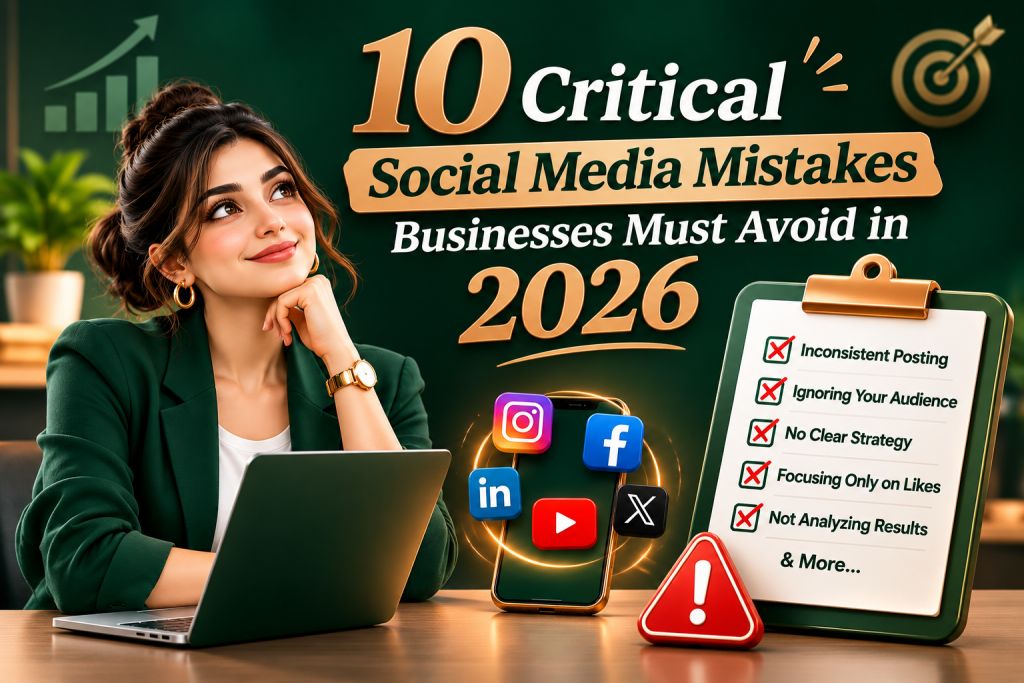
10 Critical Social Media Mistakes Businesses Must Avoid in 2026

10 Critical Social Media Mistakes Businesses Must Avoid in 2026 Avoid These 10 Costly Social Media Mistakes to Grow Your Business Social media is no longer just a digital playground. For modern brands, it is a primary revenue engine, a customer service hub, and the ultimate venue for brand storytelling.Yet, many businesses treat social media as an afterthought or a digital billboard. They dump random posts into the ether and wonder why their follower count is stagnant and their conversion rates are flat.If your social media strategy feels like a money pit, you are likely falling into common traps that alienate audiences and waste marketing dollars. Let’s break down the most critical social media mistakes your business must avoid today, along with actionable steps to turn your channels into growth engines. 1. Operating Without a Defined Strategy Many businesses start posting simply because they feel they “have to.” They create accounts across every major platform and publish content without a clear goal. This lack of direction leads to inconsistent messaging and wasted resources. The ProblemPosting aimlessly means you cannot measure success. If you do not know whether your goal is brand awareness, lead generation, or community building, you cannot optimize your content.  The Fix • Identify Key Performance Indicators (KPIs): Track metrics that match your goals, such as engagement rates for community building or click-through rates for lead generation.• Create a Content Calendar: Plan your topics, formats, and publishing dates at least two weeks in advance to maintain consistency. 2. Choosing the Wrong Platforms A common misconception is that a business needs to be active on Facebook, Instagram, LinkedIn, TikTok, X (formerly Twitter), and Pinterest all at once. This scattershot approach dilutes your efforts and burns out your marketing team.  The Problem Your target audience does not live on every platform. If you sell enterprise software (B2B), spending thousands of dollars on TikTok dances might not yield the same return as a data-driven LinkedIn article. Conversely, a trendy fashion brand will find more success on Instagram and TikTok than on LinkedIn. The Fix • Build Buyer Personas: Deeply analyze your ideal customers. Where do they spend their time? What kind of content do they consume?• Master One or Two Channels First: Dominate the platforms where your audience is most active before expanding your footprint.• Match Platform to Content: Ensure the format of the platform aligns with your business capabilities (e.g., choose YouTube or TikTok only if you have the resources to produce high-quality video). 3. Treating Social Media Like a One-Way Megaphone No one follows a brand online just to read endless sales pitches. or “Check out our latest sale!”, your audience will quickly unfollow you. The Problem Social media is designed to be social. It is a two-way dialogue, not a traditional television commercial. When you focus solely on self-promotion, you miss the opportunity to build genuine relationships and brand loyalty. The Fix • Apply the 80/20 Rule: Dedicate 80% of your content to providing value (education, entertainment, or inspiration) and only 20% to direct promotion.• Humanize Your Content: Share behind-the-scenes glimpses, employee spotlights, and user-generated content to show the people behind the logo. 4. Ignoring Negative Feedback and Customer Comments In the digital space, silence speaks volumes. When customers leave negative reviews, complaints, or critical comments on your posts, ignoring them or—worse—deleting them can severely damage your brand reputation.  The Problem Deleting complaints makes your business look dishonest or guilty. Ignoring them signals to your wider audience that you do not care about customer satisfaction. Prospective buyers look at how you handle criticism before trusting you with their money. The Fix • Respond Promptly and Politely: Acknowledge the issue publicly to show you care, but move the conversation to a private channel (like DM or email) to resolve it.• Develop a Crisis Protocol: Create standard guidelines for your social media team so they know how to handle trolls, genuine complaints, and PR emergencies calmly. 5. Chasing Vanity Metrics Over Real Value It feels great to see your follower count rise or to watch a post get thousands of likes. However, if those likes do not convert into website traffic, email sign-ups, or sales, they are nothing more than vanity metrics. The Problem High follower counts do not pay the bills. If you focus exclusively on superficial numbers, you might optimize your content for broad, irrelevant audiences while alienating the specific niche that actually buys your products. The Fix • Prioritize Conversion and Engagement: Focus on meaningful interactions, such as shares, saves, comments, and link clicks.• Track the Customer Journey: Use analytics tools to see how many social media users actually transition into your sales funnel.• Value Quality Over Quantity: It is far better to have 1,000 highly engaged followers who love your brand than 100,000 disengaged accounts that ignore your posts. 6. Neglecting Video Content The algorithms governing modern social media platforms heavily favor video. Text updates and basic static images no longer command the organic reach they once did. The Problem Failing to adopt short-form video (such as Instagram Reels, YouTube Shorts, and TikTok videos) or long-form video content makes your brand look outdated. It also severely limits your visibility, as platforms actively push video content to non-followers. The Fix• Keep It Raw and Authentic: You do not need a Hollywood budget or cinematic cameras. Smartphone video with good lighting and clear audio is often more relatable and effective.• Repurpose Existing Assets: Turn a high-performing blog post into a quick 60-second video script or record an interview snippet with a company expert.• Capitalize on Visual Storytelling: Use video to demonstrate complex product features, share quick tips, or walk viewers through a day in the office. 7. Buying Fake Followers and Engagement When businesses struggle to grow organically, they are often tempted by services that promise thousands of followers overnight for a small fee. This is a fatal mistake for any brand page. The ProblemPurchased followers are bots or inactive accounts. They will never buy your products,

Paid Advertising & PPC

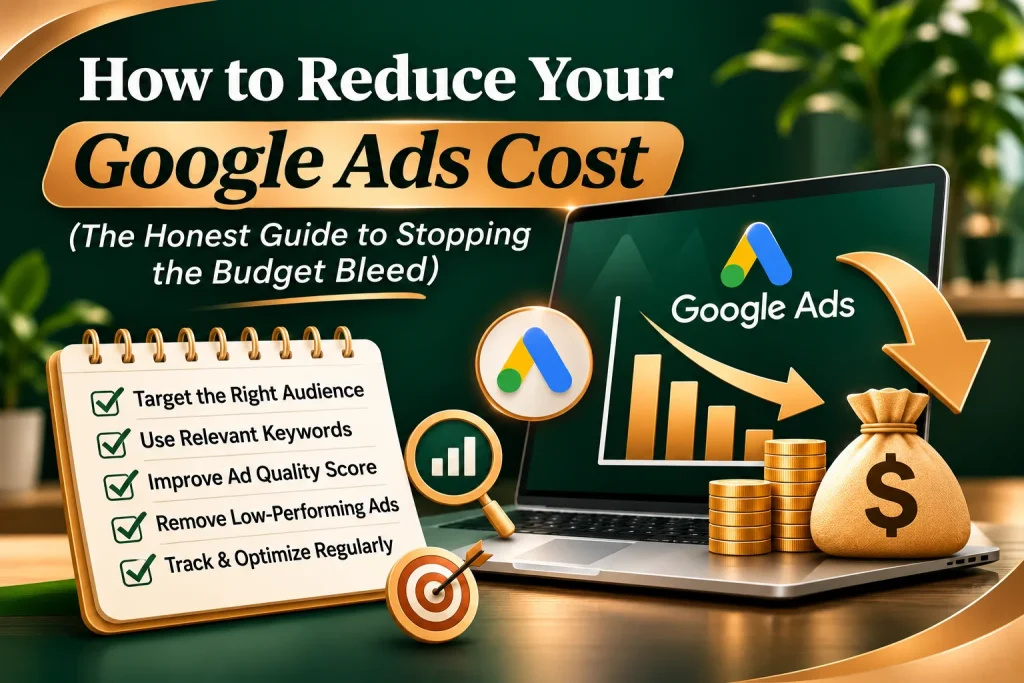
Stop Wasting Money

Stop Wasting Money How to Reduce Your Google Ads Cost (The Honest Guide to Stopping the Budget Bleed) Let’s be completely honest for a second. There is nothing more painful than opening your Google Ads dashboard at the end of the week and seeing that you spent thousands of rupees, but your phone didn’t ring even once.It feels like you are writing a blank cheque to Google every single month, while your profit margins slowly evaporate.When small business owners face this problem, their first instinct is usually to panic and lower their daily budget, or pull the plug on the platform entirely. They assume Google Ads is just a game for massive corporations with endless pockets.But here is the hard truth you need to hear: You don’t have a budget problem. You have an optimization problem.Google isn’t expensive because the platform doesn’t work. It’s expensive because you are likely paying for useless clicks, targeting the wrong people, or sending traffic to a page that forces users to hit the back button instantly.Let’s strip away the corporate fluff and look at the real, human strategies you can use today to slash your Google Ads cost, lower your Cost-Per-Click (CPC), and extract maximum value from every single paisa you invest. The Secret Weapon Google Hides from You: Quality Score Before we look at settings and buttons, you need to understand how Google decides what you pay. Most beginners think that the business with the highest bid always gets the top spot. That is a massive misconception.Google runs a lightning-fast auction based on a formula: Ad Rank = Maximum Bid × Quality Score.If your Quality Score is high (like an 8, 9, or 10), Google rewards you with a massive discount on your Cost-Per-Click.• The Low-Quality Trap: If your competitor has a Quality Score of 3, they might have to pay ₹200 for a single click to get the top spot.• The High-Quality Discount: If you optimize your campaign and hit a Quality Score of 9, Google might only charge you ₹50 for that exact same top spot.By focusing on relevance instead of just throwing more money at the problem, you can beat multi-million-dollar corporations even with a tiny local budget 1. Stop Paying for Trash Traffic with Negative Keywords If you only implement one single tip from this entire guide, make it this one. This is the ultimate shield for your business bank account.When you tell Google you want to target the keyword “digital marketing agency,” Google’s default settings will show your ad for all kinds of related searches. Some of these are great, but many are completely useless.If a student types “digital marketing agency internships” or a struggling business owner types “free digital marketing tools,” your ad will still pop up. If they click it, you pay. That is pure wasted money.You need to build a robust Negative Keyword List to tell Google exactly when to keep your ad hidden. Essential Negatives for Service Businesses: • The Bargain Hunters: “free,” “cheap,” “affordable,” “discount” (unless you are explicitly positioning yourself as the lowest-priced option).• The Job Seekers: “jobs,” “careers,” “salary,” “internship,” “resume.”• The Do-It-Yourselfers: “diy,” “course,” “tutorial,” “book,” “pdf.”Check your Search Terms Report at least once a week. It shows you the exact phrases real people typed before clicking your ad. The moment you see a phrase that won’t make you money, add it to your negative list instantly. Ditch “Broad Match” Keywords Immediately When you type keywords into Google Ads during setup, the app defaults to something called Broad Match. This gives Google full creative freedom to show your ad for anything they think is vaguely related to your word.For example, if your keyword is “commercial painting services,” Broad Match might trigger your ad when someone searches for “buy oil paints online” or “local art classes.” You end up paying for clicks that have zero intent to hire a commercial painter.To bring your costs down sharply, switch your keywords to Phrase Match or Exact Match.• Phrase Match (Put quotation marks around your phrase): Example: “commercial painting services”. This tells Google to only show your ad if the searcher includes your exact phrase or a close variation in that specific order.• Exact Match (Put brackets around your phrase): Example: [commercial painting services]. This locks your ad down so it only displays when someone types that exact phrase and nothing else. It shrinks your search volume, but it completely cuts out the junk clicks. Fix Your Landing Page to Fix Your Cost Most business owners blame their ad setup when costs run high, but the real culprit is often their website.Imagine you pay ₹100 for a high-quality click. The user lands on your website, but the page takes 6 seconds to load, the phone number is hidden, and the text looks like a boring corporate manual. The user gets frustrated and leaves within three seconds.Google notices this behavior. They track how quickly users bounce back to the search page. If your landing page has a terrible conversion rate, Google drops your Quality Score, which automatically pushes your Cost-Per-Click higher.How to optimize your landing page for lower costs: • Match the Promise: If your ad headline says “Get a Free SEO Audit in 24 Hours,” that exact phrase must be the very first thing the user sees in big bold letters when the page loads.• Speed is King: Use free tools like Google PageSpeed Insights to check your site. If your page is slow, fix it. Every second of delay drains your budget.• Make the Next Step Brain-Dead Simple: Remove distracting menus, external links, and massive blocks of text. Give the visitor one clear action: fill out a short, 3-field contact form or click Hyper-Target Your Timing and Location (Ad Scheduling) Why are you paying for clicks at 3:00 AM on a Tuesday if your sales team doesn’t log on until 9:00 AM?If your business relies on direct phone calls or immediate responses to close deals, running your ads 24/7 is a massive

Paid Advertising & PPC

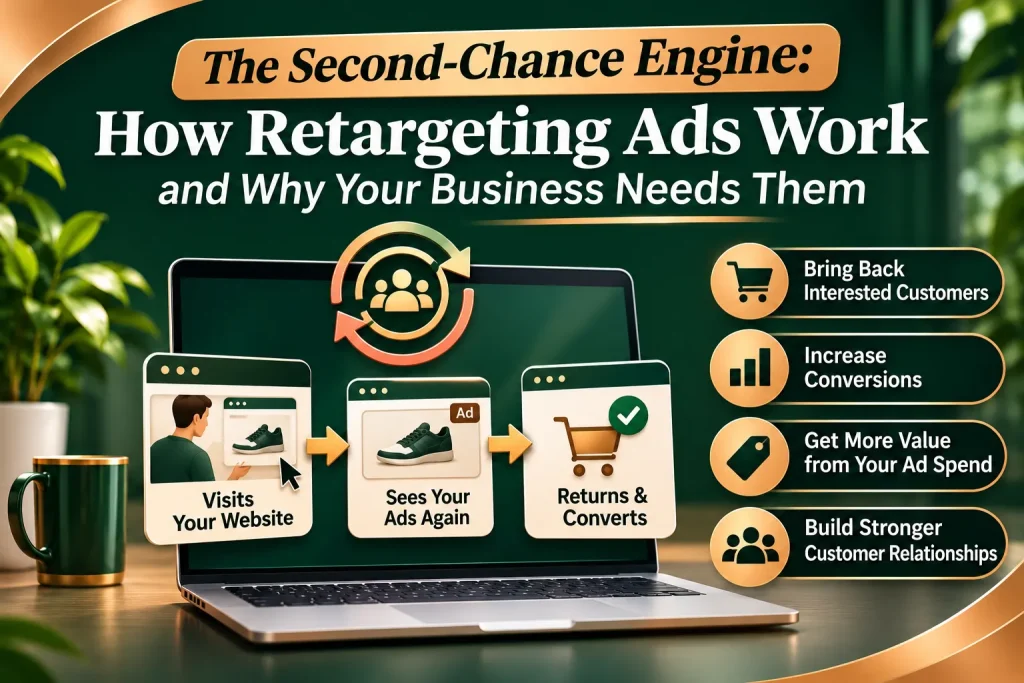
How Retargeting Ads Work And Why Your Business Needs Them

How Retargeting Ads Work And Why Your Business Needs Them The Second-Chance Engine: How Retargeting Ads Work and Why Your Business Needs Them Have you ever browsed an online store, looked at a cool pair of sneakers or a software tool, and then closed the tab without buying anything?A few hours later, you’re scrolling through your favorite news site or checking your social media feed, and boom—there are those exact same sneakers, looking right back at you.It feels like digital mind-reading or a weird coincidence, but it isn’t. It’s a marketing strategy called retargeting (sometimes called remarketing), and it is easily one of the smartest ways to grow a business online today. Let’s face it: catching a customer’s attention once is hard enough. Holding onto it long enough to get them to buy something is even harder. In this guide, we are going to pull back the curtain on how retargeting ads actually work, why your business is losing money without them, and how you can use them to turn casual window shoppers into paying customers. The Hard Truth About Online Shopping: The “One-and-Done” Problem To understand why retargeting matters, we have to look at a pretty brutal reality of the digital world: the average website conversion rate is only about 2% to 3%.Think about that for a second. Out of every 100 people who click your links, read your posts, or check out your products, 97 or 98 of them leave without doing a single thing. They don’t buy, they don’t sign up for your newsletter, and they don’t fill out a contact form.Why do they walk away? It’s usually not because they hate your brand. Life just gets in the way:• They got a text message or a phone call and closed the app.• They were just researching and weren’t ready to spend money yet.• They wanted to see if a competitor had a better price.• They were on a bus and didn’t feel like pulling out their credit card.If you don’t have a plan to bring these people back, they are gone forever. That is pure wasted ad spend and lost effort. Retargeting acts as a safety net, keeping your brand fresh in their minds even after they wander off. How Retargeting Ads Work: Step-by-Step Strip away all the confusing tech-talk, and retargeting is actually pretty simple. It uses basic web tracking to anonymously follow your audience across the internet.Here is exactly how a typical campaign plays out in real life: 1. The Tag (The Pixel) When you set up an ad account with a platform like Google Ads or Meta (Facebook/Instagram), they give you a tiny, invisible piece of code called a pixel. You paste this code into your website’s background. It doesn’t slow your site down, and your everyday visitors won’t even know it’s there. 2. The Digital Sticky Note When someone lands on your website, that pixel drops a tiny, anonymous browser cookie or tracks their device ID. Think of it like putting a friendly digital sticky note on their jacket. This note tracks what they do—like which product they looked at or if they put an item in their cart. 3. The Exit The visitor leaves your website without buying anything. They move on with their day—maybe reading an online news article, checking their Instagram feed, or watching a video on YouTube. 4. The Reminder The ad network recognizes that digital sticky note when the user visits other websites or apps within their network. The system instantly realizes, “Hey, this person looked at that specific jacket two hours ago!” and shows them your ad in an open banner or feed slot. 5. The Return Home The user sees your ad, remembers how much they liked your product, clicks it, and goes straight back to your website to finish what they started. Pixel-Based vs. List-Based Retargeting: What’s the Difference? While the pixel method we just talked about is the most common, you can also use list-based retargeting. Here is a quick breakdown of how they compare:  • Pixel-Based Retargeting: This happens automatically based on real-time behavior. It’s incredibly fast and perfect for catching someone right after they leave your site. The only downside is that it relies on browser cookies, which are getting heavily regulated these days. • List-Based Retargeting: This uses information you already own. You upload a spreadsheet of customer emails or phone numbers into an ad platform (like Facebook Custom Audiences). The platform matches those emails to its users and shows them your ads. This is amazing for re-engaging old leads or selling new things to past buyers. Why Your Business Absolutely Needs Retargeting If you are putting all your time and budget into standard SEO, basic Google searches, or organic social media just to get new eyeballs, you are missing out on the easiest sales you could possibly make. Here is why retargeting is a game-changer. 1. You are Talking to Warm Leads Traditional ads are like shouting at strangers on the street, hoping someone happens to need what you’re selling. Retargeting is talking to someone who already walked into your store, looked around, and liked what they saw. They already know who you are, so you don’t have to waste time introducing yourself. 2. Much Higher Conversion Rates Because these people are already interested, retargeting ads convert at a much higher rate than regular ads. Most humans need to see a brand a few times before they trust it enough to hand over their credit card. Retargeting builds those touchpoints naturally. 3. It’s Way Cheaper Competing for broad keywords on Google can cost a fortune. Retargeting narrows your budget down to a small, highly specific group of people who are already on the fence. Because the audience is smaller and more likely to click, your Cost Per Click (CPC) drops, giving you a much higher return on your investment. 4. It Makes Your Brand Look Huge Even if people don’t click your retargeting ad right away, seeing your

Paid Advertising & PPC

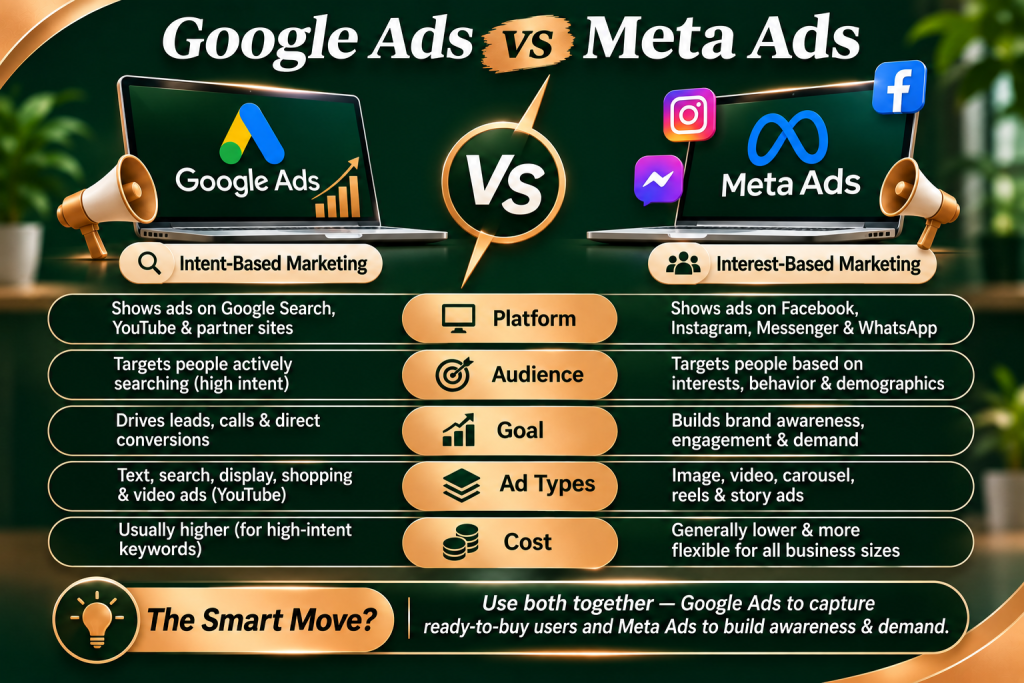
Google Ads vs Meta Ads

Google Ads vs Meta Ads Let’s be completely honest for a second. If you want to grow a business today, you cannot rely entirely on word-of-mouth or waiting around for organic social media to magically work its charm. You have to pay to play.But the moment you decide to invest your hard-earned money into digital advertising, you run straight into the ultimate marketing showdown: Google Ads versus Meta Ads.At first glance, it feels like an impossible choice. Both platforms have massive global reach, both boast highly sophisticated artificial intelligence, and both promise to deliver a flood of new customers straight to your business.Because of this, many business owners make the costly mistake of picking one at random, or splitting their small budget down the middle and running identical campaigns on both.Spoiler alert: This is a fast track to burning your marketing budget.Google Ads and Meta Ads are not competing twins. They are fundamentally different tools that target human psychology in completely opposite ways.Let’s strip away the technical fluff and look at the real, human differences between these two advertising giants, so you can figure out exactly where your money will actually move the needle. The Ultimate Shortcut: Intent vs. Awareness If you want to understand the difference between these two networks without getting a headache, it all comes down to a simple framework: Google is for Intent, while Meta is for Awareness. H2 Google Ads (Paid Search) Think of Google as a digital phone book. When a human being opens Google and types “emergency plumber near me,” “hire corporate tax accountant,” or “best running shoes for flat feet,” they have a highly specific problem. They are actively looking for a solution, they likely have their credit card sitting on the desk, and they want to buy right now. Google Ads lets you pay to place your business right at the top of the screen at the exact second they are searching. H2 Meta Ads (Paid Social) Meta (which controls Facebook, Instagram, and WhatsApp) works in the complete opposite direction. Nobody opens Instagram thinking, “I really want to find a reliable roof repair company right now.” They open the app to see what their friends are up to, look at beautiful travel destinations, or scroll through funny videos. Meta Ads allows you to slide your brand smoothly into their feed based on who they are, what they care about, and how they behave. You are introducing your business to people who aren’t actively looking for you, but are a perfect match for what you offer. The Battle of the Algorithms: How They Find Your Customers The technology under the hood of both platforms is incredibly advanced, but they analyze human data differently to get you results.• How Google targets: Google relies heavily on Keywords and Context. It looks at the explicit phrases people type into the search bar, their physical location at that moment, and their immediate browsing intent. It doesn’t care as much about their hobbies or favorite movies; it cares about what problem they are trying to solve right this second.• How Meta targets: Meta is the absolute king of Demographic and Behavioral data. Because billions of people share their life updates, interests, liked pages, and shopping habits across Instagram and Facebook, Meta knows your audience intimately. Meta’s AI tracks what people look at, what posts they stop to read, and what products they buy online, allowing you to target incredibly specific niches—like “mothers living in Mumbai who love organic skincare and organic cooking.” Which Platform Wins for Your Specific Business Model? You don’t need to try and master both ecosystems simultaneously if you are just starting out. Look at what you sell and how your target audience behaves to choose your primary weapon. Double down on Google Ads if: • You offer an emergency or immediate service: If your pipe bursts, you don’t scroll through Instagram looking for a funny video of a plumber; you search Google. Locksmiths, towing companies, mechanics, and urgent healthcare clinics belong on Google.• You sell high-ticket B2B services or software: When corporate managers need a new CRM system or an agency to handle their supply chain logistics, they search for solutions intentionally.• Your products have a high search volume: If thousands of people are already typing your exact product name into search bars every single day, you just need to stand in front of that existing wave of traffic Double down on Meta Ads if: • Your product is highly visual or lifestyle-driven: Fashion, home decor, beauty items, fitness programs, and gourmet food thrive on Meta. You need to show beautiful photography or engaging short-form video reels to capture a user’s attention while they passively scroll.• You are launching something completely new: If you invented a brand-new gadget that solves a problem nobody knows exists yet, no one is searching for it on Google. You have to use Meta Ads to put a video in front of them, explain the problem, and create the demand from scratch.• You want to build a passionate community around your brand: Meta is unmatched for storytelling. If you want people to fall in love with your brand’s origin story, ethos, and visual identity, social feeds are the perfect place to build that emotional connection. Upfront Costs and Budget Realities Let’s talk about real money. How far will your budget go on each platform? • Google Ads can feel more expensive upfront. Because you are bidding on high-intent buyers who are ready to make a purchase, competition for top keywords can be fierce. A single click for a highly competitive industry like law, finance, or enterprise software can cost hundreds of rupees. However, remember that these clicks are highly qualified leads who are much closer to actually buying.Because you are displaying ads to people who are passively browsing, it costs significantly less to get your image or video onto their screen.  3 Costly Mistakes to Avoid on Both Platforms No matter which path you choose, make sure

Paid Advertising & PPC

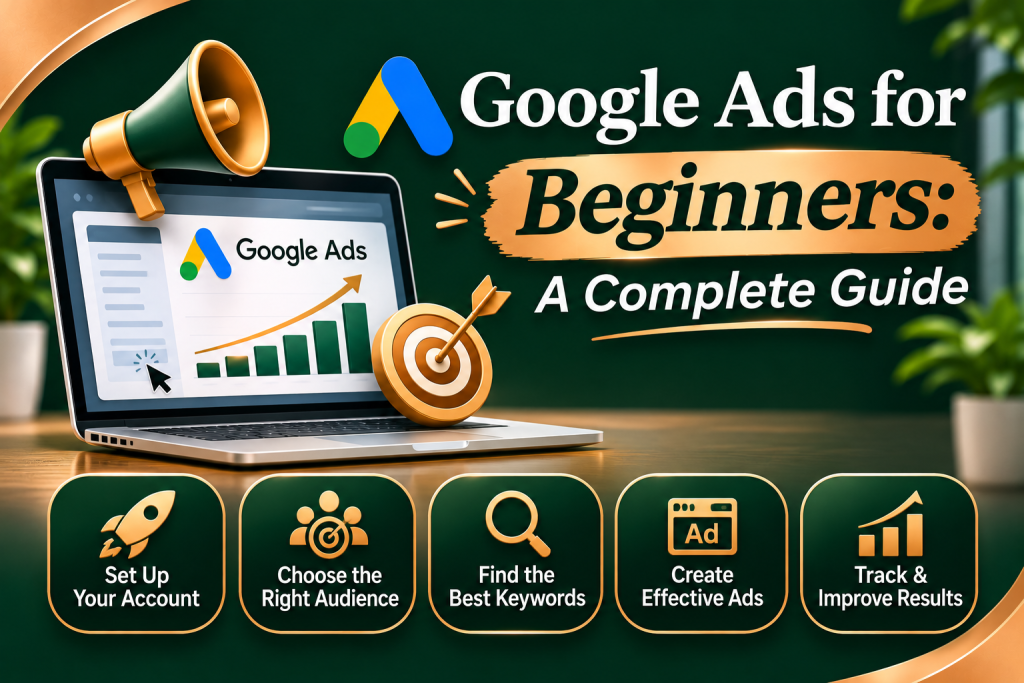
Google Ads for Beginners

Google Ads for Beginners Google Ads for Beginners: A Complete Guide Let’s be completely honest for a second. The first time you log into the Google Ads dashboard, it feels like looking at the control panel of a spaceship. There are dozens of tabs, endless metrics like CTR, CPC, and Quality Score, and a nagging fear that if you click the wrong button, Google will quietly drain your bank account overnight.It is incredibly intimidating. Because of this, a lot of small business owners run away and stick to organic social media, even though they are desperate for faster leads.But here is the truth: Google Ads is the single most powerful way to put your business in front of people who are ready to buy right now.Think about it. When someone scrolls through Instagram, they want to be entertained. But when someone opens Google and types “emergency plumber near me” or “best corporate marketing agency,” they have a problem, they have their credit card out, and they need a solution immediately.If your business isn’t at the top of that search page, you are handing your dream clients straight to your competitors.Let’s strip away the confusing corporate language and break down exactly how Google Ads works, how to set up your very first campaign without losing your mind, and how to protect your budget from being wasted. The Core Concept: How Google Ads Actually Works Before you spend a single rupee, you need to understand the basic mechanics of the game. Google Ads runs on a system called PPC (Pay-Per-Click).This means something wonderful for small budgets: Google does not charge you a single paisa just to show your ad on the screen. You only pay when a user actively clicks on your link and visits your website.Think of it as a continuous, lightning-fast auction happening behind the scenes. Every time someone performs a search, Google looks at all the businesses competing for that keyword and decides who gets the top spot.However, winning the auction isn’t just about who has the deepest pockets. Google deeply cares about the user experience. If a multi-million-dollar corporation builds a confusing, slow website with a messy ad, Google will rank a smaller competitor higher if their ad is highly relevant and helpful to the searcher. The Three Pillar Pillars of Keyword Strategy Keywords are the absolute foundation of your campaign. They are the exact phrases people type into Google when they are looking for help. If you target the wrong keywords, you will end up paying for useless clicks from people who have no intention of hiring you. To build a winning strategy, you need to categorize your keywords into three clear buckets: 1. High Intent (The Buyers)These are keywords used by people ready to take action immediately. Phrases like “hire SEO agency online,” “affordable web design packages,” or “dentist clinic open now.” The search volume might be smaller, but the conversion rate is incredibly high. 2. Research Intent (The Browsers)These users are looking for information but aren’t quite ready to buy yet. They search for terms like “how to fix a slow website” or “digital marketing benefits.” These are great for blog posts, but if you send paid ad traffic here, you will burn through your daily budget fast without seeing instant sales. 3. Negative Keywords (Your Budget Shield)This is the most important setting that beginners completely miss. Negative keywords tell Google exactly when not to show your ad. For example, if you run a premium, high-end digital marketing agency, you must add keywords like “free,” “cheap,” or “jobs” to your negative keyword list. This prevents you from paying for clicks from students looking for internships or people searching for free templates. Step-by-Step: Setting Up Your First Search Campaign When you create a new account, Google will try to nudge you into using their “Smart Mode.” Don’t do it. Smart Mode automates everything, which means you lose control over your budget and targeting. Always switch to “Expert Mode” right from the start so you remain the boss of your money. Step 1: Define a Clear, Singular GoalDon’t try to achieve everything at once. Choose one primary action you want the user to take. Do you want them to fill out a contact form on your landing page? Call your office directly? Or purchase a product? Step 2: Choose the Search Network OnlyGoogle will ask if you want to include the “Display Network” (which puts your ads on random blogs and news sites across the internet). Uncheck this box immediately. Display ads have their place, but for a beginner trying to get high-intent leads from search strings, they are a massive budget leak. Stick strictly to the Google Search results page. Step 3: Laser-Focus Your GeographyIf you are a local business, do not target the entire country. If you are a digital marketing agency that only serves mid-sized B2B clients in a specific metropolitan hub, restrict your targeting exclusively to that area. Google allows you to target down to specific postal codes or radiuses around your office. Step 4: Set a Realistic Daily BudgetStart small and scale up only when you see positive returns. Calculate a budget you are completely comfortable losing for the first 30 days while you gather initial performance data. If you can afford to spend ₹500 a day, set that as your hard limit. Google will never cross your monthly average cap. Writing Ad Copy That Human Beings Want to Click Once your keywords trigger your ad, you have a fraction of a second to convince a human being to click your link instead of the three other ads surrounding it.Stop writing boring, corporate statements like “We are an established agency founded in 2015.” The customer doesn’t care about your history yet; they care about their own problems. Your ad copy needs to speak directly to their pain points. • (The Hook): State exactly what they searched for. If they searched for “B2B Lead Generation Agency,” your first headline should say exactly

Paid Advertising & PPC

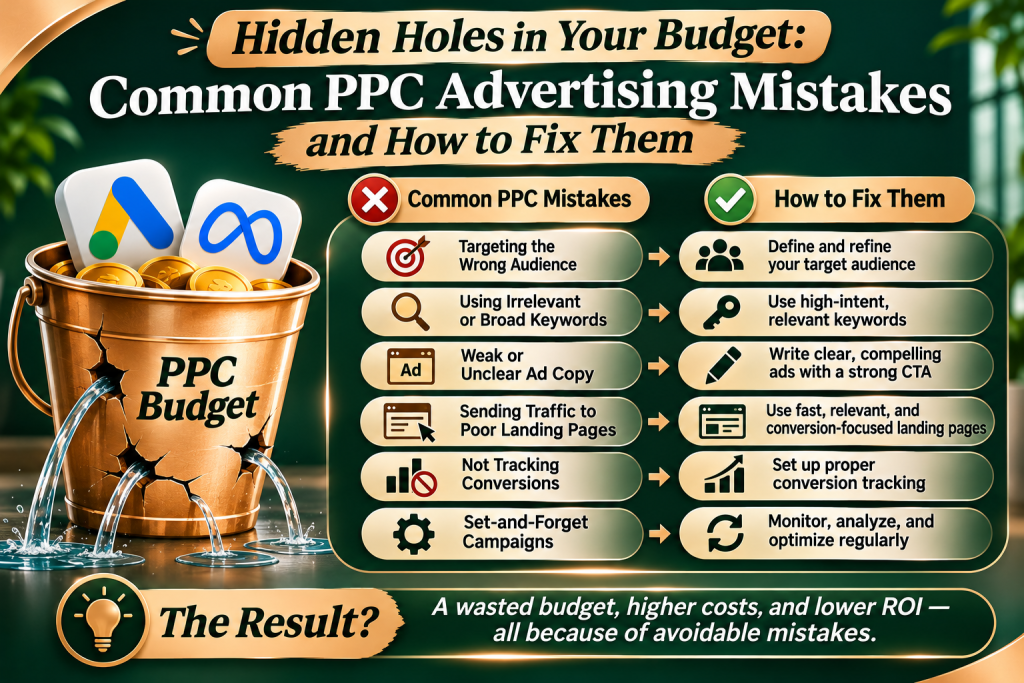
10 Common PPC Advertising Mistakes

10 Common PPC Advertising Mistakes Hidden Holes in Your Budget: Common PPC Advertising Mistakes and How to Fix Them When Pay-Per-Click (PPC) advertising works, it feels like an absolute superpower. You put a dollar into the machine, target the exact human being who needs your service, and get two dollars back. It is fast, highly trackable, and can scale a business almost overnight. But when it doesn’t work? PPC feels like throwing your hard-earned money straight into a roaring campfire.The honest truth about online advertising is that platforms like Google Ads and Meta Ads are intentionally designed to make it incredibly easy to spend money, but significantly harder to turn a profit. If you just set up a campaign, walk away, and hope for the best, you are likely burning through your marketing budget without even realizing it.Whether you are a small business owner running your own ads or an experienced marketer cleaning up an old account, spotting these structural errors is the fastest way to save your budget. Let’s dive into the most common PPC blunders that quietly drain your bank account and look at how to easily fix them. 1. The “Set It and Forget It” Trap One of the biggest myths in digital marketing is that PPC campaigns are automated money machines. People think you can just write a couple of headlines, put in a credit card, and let the system run forever.This is a surefire way to lose money. Ad networks tweak their algorithms constantly, new competitors enter your bidding auctions daily, and customer search habits change with the seasons.If you don’t check your dashboard regularly, a tiny shift in the market can quickly tank your results. Managing a successful ad account requires consistent love—checking search queries, testing fresh visuals, and pausing ads that just aren’t pulling their weight. 2. Letting “Broad Match” Run Wild For businesses running Google search campaigns, keyword match types tell the system exactly what phrases should trigger your ads. By default, Google pushes you hard to use Broad Match.While Broad Match gets you the most views, it also gives the algorithm total freedom to display your ad for anything it thinks is loosely related to your business.• The Problem: If you own a high-end boutique hotel and bid on the broad phrase “luxury hotel,” Google might display your ad to someone searching for “cheap motel rooms,” “hotel construction jobs,” or “luxury hotel wallpapers.”• The Result: You end up paying for expensive clicks from people who have zero intention of booking a stay with you.The Quick FixSwitch your strategy toward Phrase Match (using quotation marks like “luxury hotel”) or Exact Match (using brackets like [luxury hotel]). This forces the ad network to show your link only when a user’s search intent actually matches what you sell. 3. Ignoring Negative Keywords Think of negative keywords as a giant digital shield for your wallet. They tell the advertising platform exactly which words and phrases you want to completely block from triggering your ad.Failing to build out a strong negative keyword list is easily one of the most expensive mistakes you can make. If you don’t tell the platform what you don’t want, you will end up paying for a lot of completely useless web traffic. 4. Dumping Ad Traffic Right Onto Your Homepage Imagine clicking an ad that promises a 30% discount on a specific pair of waterproof hiking boots. But instead of taking you to those boots, the link drops you right onto the store’s generic homepage. Now you have to click around, hunt through menus, and search the site just to find what you were looking at.What do you do? You leave. You click the back button and try a competitor’s site.Sending paid ad traffic to a broad homepage is a massive conversion killer. Your homepage is designed to give an overview of your entire company; it is not built to close a highly specific sale. The Solution Every single ad campaign you run needs a dedicated, hyper-focused Landing Page. If your ad promotes a specific plumbing repair service, the link must take the user to a page that talks only about that specific repair service, complete with a direct phone number and an easy quote form. The shorter the path from click to buy, the more money you make. 5. Driving With Your Headlights Off (Bad Tracking) If you don’t have conversion tracking set up correctly, you are essentially driving down a dark highway with your headlights turned completely off. You might see clicks coming into your dashboard, but you have no idea which specific keyword or ad visual actually generated a phone call, form fill, or sale.Without accurate tracking data, you are just guessing. You might accidentally turn off your highest-performing keyword because it looked expensive, while pouring more cash into an ad that brings in lots of cheap clicks but zero revenue.Before you spend another dollar on live ads, double-check that your tracking pixels (like Google Tag Manager or the Meta Pixel) are firing perfectly on your “Thank You” or confirmation pages. 6. Writing Dry, Boring Ad Copy Many businesses write ads that read like a technical manual. They list their specifications, state their business hours, and list their certifications.The problem? Your customers don’t care about your specifications; they care about solving their own problems.Good ad copy focuses on benefits, emotions, and solutions. It should directly address the exact pain point your user is feeling at that moment and offer a clear path forward.• Bad, Robotic Copy: “We do commercial roof repairs. Certified technicians available. 24/7 service. Call us today.”• Good, Human Copy: “Leaky roof putting your inventory at risk? Get fast, reliable commercial repairs today before the next storm hits. Free inspections.” 7. Forgetting About Mobile Users WIt is easy to forget that people experience your ads differently depending on the screen they are holding. If you design your landing pages, ad text, and checkout steps exclusively on a massive desktop monitor, you might completely miss major

Scroll to Top