
Google Ads for Beginners
Google Ads for Beginners: A Complete Guide
Let’s be completely honest for a second. The first time you log into the Google Ads dashboard, it feels like looking at the control panel of a spaceship. There are dozens of tabs, endless metrics like CTR, CPC, and Quality Score, and a nagging fear that if you click the wrong button, Google will quietly drain your bank account overnight.
It is incredibly intimidating. Because of this, a lot of small business owners run away and stick to organic social media, even though they are desperate for faster leads.
But here is the truth: Google Ads is the single most powerful way to put your business in front of people who are ready to buy right now.
Think about it. When someone scrolls through Instagram, they want to be entertained. But when someone opens Google and types “emergency plumber near me” or “best corporate marketing agency,” they have a problem, they have their credit card out, and they need a solution immediately.
If your business isn’t at the top of that search page, you are handing your dream clients straight to your competitors.
Let’s strip away the confusing corporate language and break down exactly how Google Ads works, how to set up your very first campaign without losing your mind, and how to protect your budget from being wasted.
The Core Concept: How Google Ads Actually Works
Before you spend a single rupee, you need to understand the basic mechanics of the game. Google Ads runs on a system called PPC (Pay-Per-Click).
This means something wonderful for small budgets: Google does not charge you a single paisa just to show your ad on the screen. You only pay when a user actively clicks on your link and visits your website.
Think of it as a continuous, lightning-fast auction happening behind the scenes. Every time someone performs a search, Google looks at all the businesses competing for that keyword and decides who gets the top spot.
However, winning the auction isn’t just about who has the deepest pockets. Google deeply cares about the user experience. If a multi-million-dollar corporation builds a confusing, slow website with a messy ad, Google will rank a smaller competitor higher if their ad is highly relevant and helpful to the searcher.
The Three Pillar Pillars of Keyword Strategy
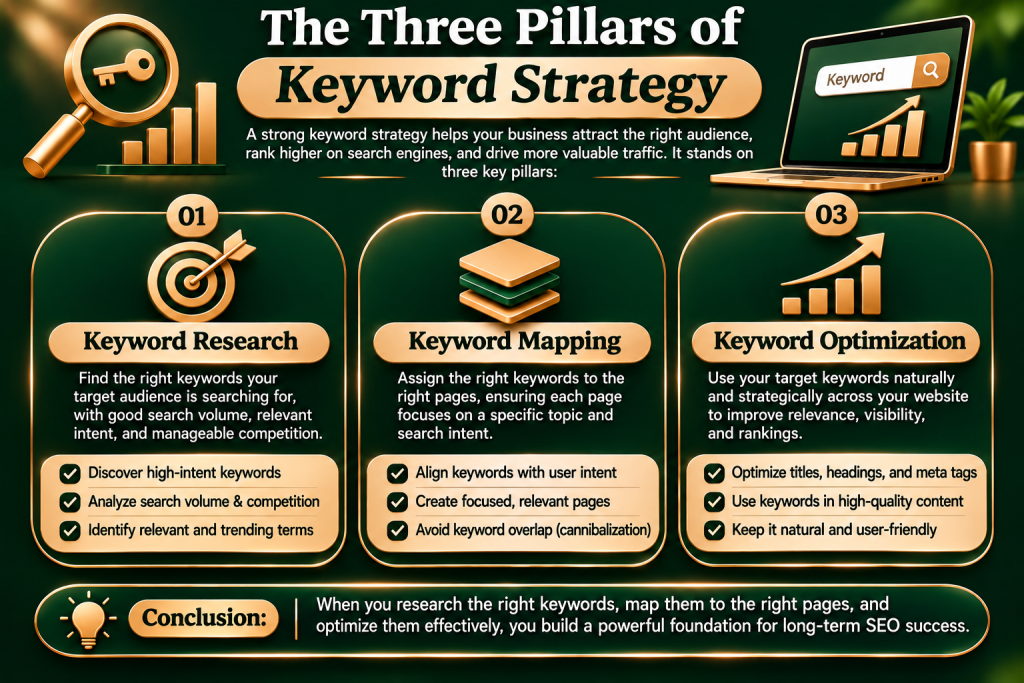
Keywords are the absolute foundation of your campaign. They are the exact phrases people type into Google when they are looking for help. If you target the wrong keywords, you will end up paying for useless clicks from people who have no intention of hiring you.
To build a winning strategy, you need to categorize your keywords into three clear buckets:
1. High Intent (The Buyers)
These are keywords used by people ready to take action immediately. Phrases like “hire SEO agency online,” “affordable web design packages,” or “dentist clinic open now.” The search volume might be smaller, but the conversion rate is incredibly high.
2. Research Intent (The Browsers)
These users are looking for information but aren’t quite ready to buy yet. They search for terms like “how to fix a slow website” or “digital marketing benefits.” These are great for blog posts, but if you send paid ad traffic here, you will burn through your daily budget fast without seeing instant sales.
3. Negative Keywords (Your Budget Shield)
This is the most important setting that beginners completely miss. Negative keywords tell Google exactly when not to show your ad. For example, if you run a premium, high-end digital marketing agency, you must add keywords like “free,” “cheap,” or “jobs” to your negative keyword list. This prevents you from paying for clicks from students looking for internships or people searching for free templates.
Step-by-Step: Setting Up Your First Search Campaign
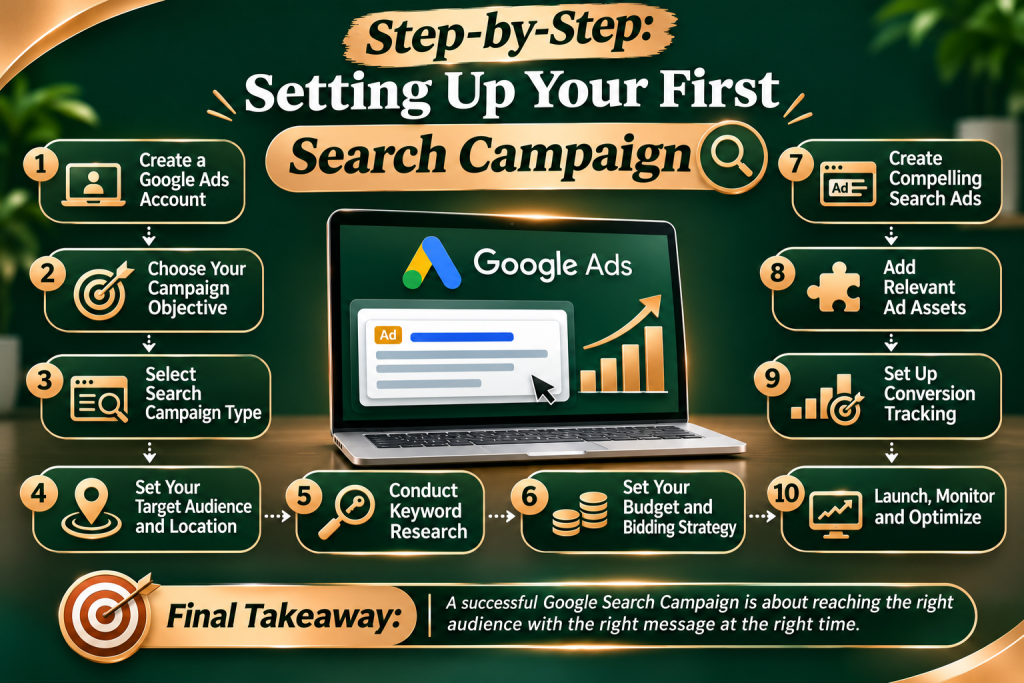
When you create a new account, Google will try to nudge you into using their “Smart Mode.” Don’t do it. Smart Mode automates everything, which means you lose control over your budget and targeting. Always switch to “Expert Mode” right from the start so you remain the boss of your money.
Step 1: Define a Clear, Singular Goal
Don’t try to achieve everything at once. Choose one primary action you want the user to take. Do you want them to fill out a contact form on your landing page? Call your office directly? Or purchase a product?
Step 2: Choose the Search Network Only
Google will ask if you want to include the “Display Network” (which puts your ads on random blogs and news sites across the internet). Uncheck this box immediately. Display ads have their place, but for a beginner trying to get high-intent leads from search strings, they are a massive budget leak. Stick strictly to the Google Search results page.
Step 3: Laser-Focus Your Geography
If you are a local business, do not target the entire country. If you are a digital marketing agency that only serves mid-sized B2B clients in a specific metropolitan hub, restrict your targeting exclusively to that area. Google allows you to target down to specific postal codes or radiuses around your office.
Step 4: Set a Realistic Daily Budget
Start small and scale up only when you see positive returns. Calculate a budget you are completely comfortable losing for the first 30 days while you gather initial performance data. If you can afford to spend ₹500 a day, set that as your hard limit. Google will never cross your monthly average cap.
Writing Ad Copy That Human Beings Want to Click
Once your keywords trigger your ad, you have a fraction of a second to convince a human being to click your link instead of the three other ads surrounding it.
Stop writing boring, corporate statements like “We are an established agency founded in 2015.” The customer doesn’t care about your history yet; they care about their own problems. Your ad copy needs to speak directly to their pain points.
• (The Hook): State exactly what they searched for. If they searched for “B2B Lead Generation Agency,” your first headline should say exactly that.
• (The Value Pitch): Share a clear, tangible benefit or handle an immediate objection. Examples: “No Long-Term Contracts” or “Double Your Website Enquiries.”
• The Description (The Proof): Use this space to add social proof or a clear call to action. “Trusted by 200+ businesses. Get your free custom marketing blueprint today.”
Imagine you click an ad looking for a specific service, say “E-commerce Web Design,” but the link takes you straight to the company’s generic homepage. You are forced to scroll through their team bios, read about their logo design services, and search for the button you actually wanted.
What do you do? That is called a bounce, and it means the business owner just paid for a click that resulted in absolutely zero value.
Create a dedicated, distraction-free landing page for each specific campaign. If your ad promises a solution to a specific problem, your landing page must display that solution in bold text the absolute second the page loads. Remove all unnecessary navigation links, blogs, and distractions. Give the visitor only two choices: fill out the form, or close the page.
Tracking, Tweaking, and Optimizing for Long-Term ROI
Google Ads is not a “set it and forget it” machine. You cannot just launch a campaign and walk away for six months expecting passive wealth. You need to keep an eye on the numbers, clean out the junk, and double down on what works.
• Set Up Conversion Tracking on Day One: If you don’t install a tracking tag on your website to monitor who actually completes a form or makes a call, you are flying completely blind. You will see clicks, but you won’t know which specific keyword brought you a paying customer and which one wasted your money.
• Audit Your Search Terms Report Weekly: Once your ads are running, check the “Search Terms” tab. This shows you the exact words real people typed when your ad appeared. If you notice strange, irrelevant phrases creeping in, add them to your negative keyword list immediately to save your budget.
• Test Multiple Ad Variations: Always run at least two or three different ad variations inside your campaign. Let them compete against each other for a few weeks to see which messaging resonates best with your real-world market.
Frequently Asked Questions

You do not need a massive corporate budget to get started. You can comfortably begin with as little as ₹500 to ₹1,000 per day. The key is to narrow your keyword focus tightly so that your budget isn’t spread thin across too many generic search terms.
Google SEO (Search Engine Optimization) is a long-term game focused on earning free, organic rankings by writing great content and building website authority over months or years. Google Ads is an instant-on faucet. You pay for immediate real estate at the top of the page, giving you visibility within hours of setting up your account.
While your ads can go live instantly, the system typically requires a learning phase of roughly 14 to 30 days. Google’s algorithms need time to collect data on who is clicking your ads, what times of day work best, and how users interact with your landing page to properly optimize performance.
This usually signals a disconnect between your ad and your website. If people click your ad, your targeting is working. But if they leave without taking action, your landing page might be loading too slowly, looking unprofessional, or failing to deliver the exact solution promised in your ad text.
Yes, absolutely. Competitors can easily target your brand name to steal your loyal customers at the last second. Bidding on your own brand name is incredibly cheap, protects your digital real estate, and ensures you control the exact message people see when they search for you specifically.