
Stop Wasting Money
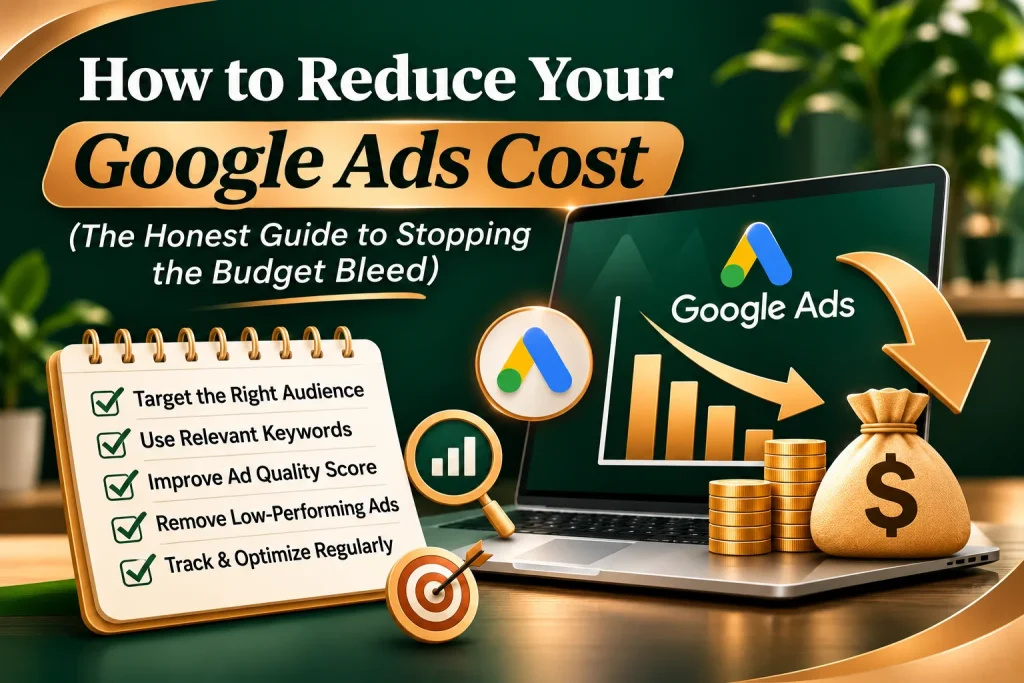
How to Reduce Your Google Ads Cost (The Honest Guide to Stopping the Budget Bleed)
Let’s be completely honest for a second. There is nothing more painful than opening your Google Ads dashboard at the end of the week and seeing that you spent thousands of rupees, but your phone didn’t ring even once.
It feels like you are writing a blank cheque to Google every single month, while your profit margins slowly evaporate.
When small business owners face this problem, their first instinct is usually to panic and lower their daily budget, or pull the plug on the platform entirely. They assume Google Ads is just a game for massive corporations with endless pockets.
But here is the hard truth you need to hear: You don’t have a budget problem. You have an optimization problem.
Google isn’t expensive because the platform doesn’t work. It’s expensive because you are likely paying for useless clicks, targeting the wrong people, or sending traffic to a page that forces users to hit the back button instantly.
Let’s strip away the corporate fluff and look at the real, human strategies you can use today to slash your Google Ads cost, lower your Cost-Per-Click (CPC), and extract maximum value from every single paisa you invest.
The Secret Weapon Google Hides from You: Quality Score
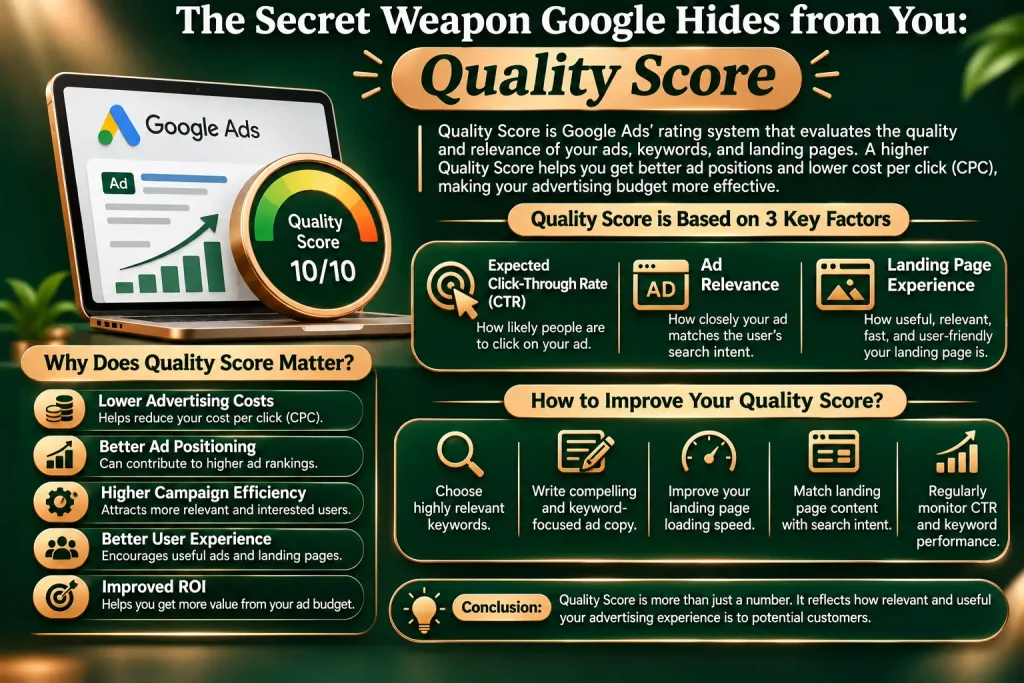
Before we look at settings and buttons, you need to understand how Google decides what you pay. Most beginners think that the business with the highest bid always gets the top spot. That is a massive misconception.
Google runs a lightning-fast auction based on a formula: Ad Rank = Maximum Bid × Quality Score.
If your Quality Score is high (like an 8, 9, or 10), Google rewards you with a massive discount on your Cost-Per-Click.
• The Low-Quality Trap: If your competitor has a Quality Score of 3, they might have to pay ₹200 for a single click to get the top spot.
• The High-Quality Discount: If you optimize your campaign and hit a Quality Score of 9, Google might only charge you ₹50 for that exact same top spot.
By focusing on relevance instead of just throwing more money at the problem, you can beat multi-million-dollar corporations even with a tiny local budget
If you only implement one single tip from this entire guide, make it this one. This is the ultimate shield for your business bank account.
When you tell Google you want to target the keyword “digital marketing agency,” Google’s default settings will show your ad for all kinds of related searches. Some of these are great, but many are completely useless.
If a student types “digital marketing agency internships” or a struggling business owner types “free digital marketing tools,” your ad will still pop up. If they click it, you pay. That is pure wasted money.
You need to build a robust Negative Keyword List to tell Google exactly when to keep your ad hidden.
• The Bargain Hunters: “free,” “cheap,” “affordable,” “discount” (unless you are explicitly positioning yourself as the lowest-priced option).
• The Job Seekers: “jobs,” “careers,” “salary,” “internship,” “resume.”
• The Do-It-Yourselfers: “diy,” “course,” “tutorial,” “book,” “pdf.”
Check your Search Terms Report at least once a week. It shows you the exact phrases real people typed before clicking your ad. The moment you see a phrase that won’t make you money, add it to your negative list instantly.
When you type keywords into Google Ads during setup, the app defaults to something called Broad Match. This gives Google full creative freedom to show your ad for anything they think is vaguely related to your word.
For example, if your keyword is “commercial painting services,” Broad Match might trigger your ad when someone searches for “buy oil paints online” or “local art classes.” You end up paying for clicks that have zero intent to hire a commercial painter.
To bring your costs down sharply, switch your keywords to Phrase Match or Exact Match.
• Phrase Match (Put quotation marks around your phrase): Example: “commercial painting services”. This tells Google to only show your ad if the searcher includes your exact phrase or a close variation in that specific order.
• Exact Match (Put brackets around your phrase): Example: [commercial painting services]. This locks your ad down so it only displays when someone types that exact phrase and nothing else. It shrinks your search volume, but it completely cuts out the junk clicks.
Most business owners blame their ad setup when costs run high, but the real culprit is often their website.
Imagine you pay ₹100 for a high-quality click. The user lands on your website, but the page takes 6 seconds to load, the phone number is hidden, and the text looks like a boring corporate manual. The user gets frustrated and leaves within three seconds.
Google notices this behavior. They track how quickly users bounce back to the search page. If your landing page has a terrible conversion rate, Google drops your Quality Score, which automatically pushes your Cost-Per-Click higher.
How to optimize your landing page for lower costs:
• Match the Promise: If your ad headline says “Get a Free SEO Audit in 24 Hours,” that exact phrase must be the very first thing the user sees in big bold letters when the page loads.
• Speed is King: Use free tools like Google PageSpeed Insights to check your site. If your page is slow, fix it. Every second of delay drains your budget.
• Make the Next Step Brain-Dead Simple: Remove distracting menus, external links, and massive blocks of text. Give the visitor one clear action: fill out a short, 3-field contact form or click
Why are you paying for clicks at 3:00 AM on a Tuesday if your sales team doesn’t log on until 9:00 AM?
If your business relies on direct phone calls or immediate responses to close deals, running your ads 24/7 is a massive budget leak. People browsing in the middle of the night are often just researching, or they will fill out a form and forget about you by the next morning.
Go into your settings and set up Ad Scheduling (Dayparting):
• Match Your Office Hours: Restrict your ads to run strictly between Monday to Friday, 9:00 AM to 6:00 PM, when your team is sitting at their desks ready to convert live leads.
• Location Bidding Adjustments: Look at your data. If you are targeting an entire state, but 80% of your paying clients come from three specific cities, adjust your location settings. You can tell Google to lower your bids by 30% in lower-performing towns and push that saved budget into high-converting neighborhoods.
It is natural to want to rank #1 for the absolute biggest, most popular keyword in your industry. If you run a digital marketing agency, you want to rank for “digital marketing.”
But here is the reality: the biggest keywords are also the most expensive. You will be bidding against massive global networks with million-dollar budgets who don’t care if they pay ₹500 a click. Competing with them head-on is a fast track to bankruptcy.
Instead of fighting for generic keywords, shift your strategy toward Long-Tail Keywords. These are longer, highly specific phrases that have lower search volume but are much cheaper and convert far better.
• Instead of the generic: “SEO services” (High cost, brutal competition)
• Target the specific long-tail: “SEO agency for local real estate brokers” (Low cost, high intent)
A person searching for the second phrase knows exactly what they want. If your ad matches their niche perfectly, they will click, they will buy, and you will pay a fraction of the cost.
Consistency and Review Beats Hands-Off Automation
Don’t buy into the myth that Google’s automated systems will save you money out of the box. Google’s built-in AI tools are designed to maximize clicks or conversions within your parameters, but they don’t care about your bottom-line profit margins.
You need to step in as the human manager of your budget. Spend just 15 minutes every two days reviewing your search terms, clearing out negative keywords, and pausing low-performing ads. That steady, consistent human touch is what keeps your costs down over the long term
Frequently Asked Questions

Spikes usually happen for two reasons: a new competitor entered your market and started aggressively bidding up the price of your core keywords, or your Quality Score dropped because your website structure changed or became slower. Check your Auction Insights report to see if new players are driving up the bidding field.
No, lowering your overall daily budget doesn’t change what you pay for an individual click. It simply means your budget will run out faster during the day, causing your ads to turn off early. To lower your actual cost-per-click, you must focus on improving your Quality Score or shifting to less competitive long-tail keywords.
Not entirely. Strategies like “Maximize Conversions” can work beautifully, but only after your account has collected enough historical data (at least 30 conversions in 30 days). If you turn on automation on day one, the system will experiment wildly with your money to find what works, which can lead to incredibly high initial costs. Start with Manual CPC or Enhanced CPC to maintain a firm grip on your budget constraints.
Keep it tightly focused. A massive mistake beginners make is adding 100 keywords to a single campaign. This spreads your budget too thin and makes optimization impossible. Start with just 5 to 15 highly targeted Phrase and Exact match keywords that focus entirely on high-intent buyers.