
The Ultimate Content Audit Guide
The Ultimate Content Audit Guide: How to Refresh Outdated Posts and Explode Your Traffic

Imagine spending months writing high-quality blog posts, only to watch your organic traffic slowly decline over time. You keep publishing new articles, but your overall Google rankings remain stagnant. If this sounds familiar, you do not necessarily have a content creation problem—you have a content maintenance problem.
Many website owners believe that the secret to SEO success is continuously publishing new content. However, the internet is cluttered with outdated, thin, and duplicate pages. Google prioritizes websites that maintain a clean, highly relevant, and accurate index of information.
This is where a content audit comes in. By systematically reviewing your existing content assets, you can find hidden opportunities to regain lost traffic, delete dead weight, and maximize your search engine visibility. In this ultimate guide, we will walk you through a step-by-step framework to audit your content like a seasoned SEO professional.
What is a Content Audits and Why Does Your Website Need One?
A content audit is the process of collecting, analyzing, and evaluating all the content currently live on your website. Think of it as a routine health checkup for your blog. Instead of guessing which pages are performing well, an audit gives you hard, data-driven insights.
• Content Decay: Information changes, statistics get outdated, and once-trending topics lose search volume.
• Keyword Cannibalization: You accidentally write multiple articles targeting the exact same keyword, causing Google to get confused and rank none of them highly.
• Technical Debt: Broken links accumulate, images fail to load, and older pages suffer from poor mobile optimization.
• Improve Search Engine Rankings: Cleaning up low-quality pages tells Google that your entire website is authoritative and trustworthy.
• Enhance User Experience (UX): Visitors stay longer on your website when they find accurate, updated, and highly structured information.
• Optimize Conversion Rates: Updating old call-to-actions (CTAs) directs existing traffic toward your latest products, services, or lead magnets.
Phase 1: Preparation and Data Gathering
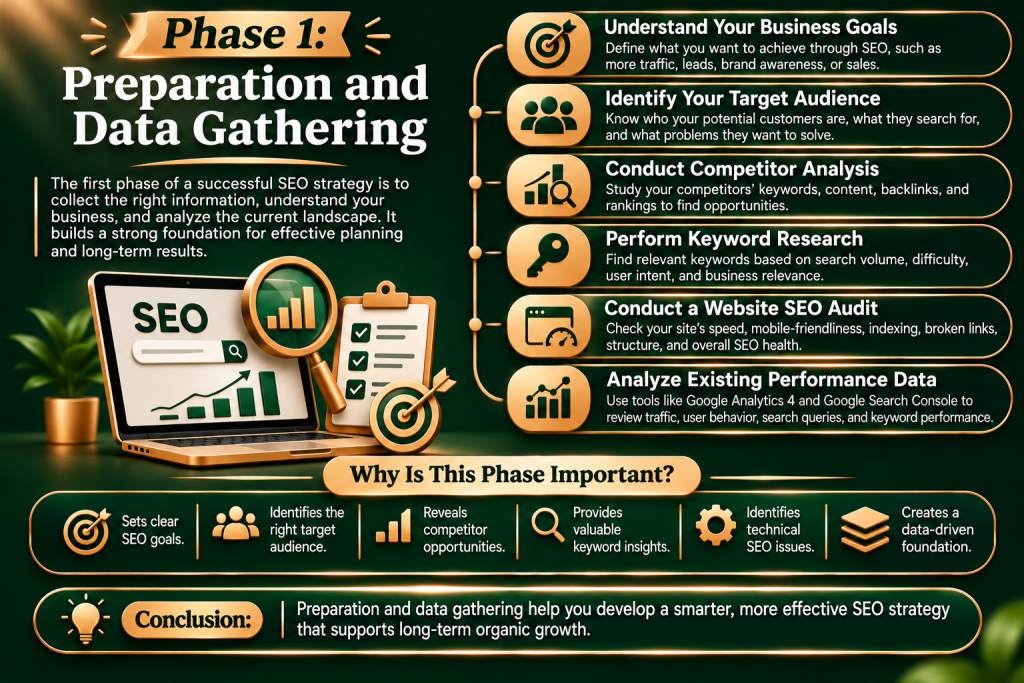
You cannot audit what you cannot see. The first phase of a successful content audit involves crawling your website and aggregating data into a single master spreadsheet.
1. Crawl Your Website URL Structure
To begin, you need a complete list of all live URLs on your website. You can use industry-standard tools like Screaming Frog SEO Spider, Ahrefs, or Semrush to crawl your domain. Export this data into a Google Sheet or Microsoft Excel file.
2. Connect Your Analytics Tools
To accurately evaluate your pages, you must pull performance metrics from the past 12 months. Ensure your spreadsheet includes columns for data pulled from:
• Google Search Console (GSC): Gather impressions, organic clicks, average position, and target keywords.
• Google Analytics 4 (GA4): Track page views, average engagement time, bounce rates, and conversion numbers.
• Backlink Analysis Tools: Note the number of referring domains and the URL Rating (UR) or Page Authority (PA) of each link.
3. Build Your Inventory Dashboard
Your final master spreadsheet should display the following columns for every single URL:
• Page Title & URL
• Target Primary Keyword
• Organic Clicks (Past 12 Months)
• Page Views & Engagement Rate
• Total Number of Backlinks
• Publication Date & Last Updated Da
Phase 2: Evaluating Your Content Performance
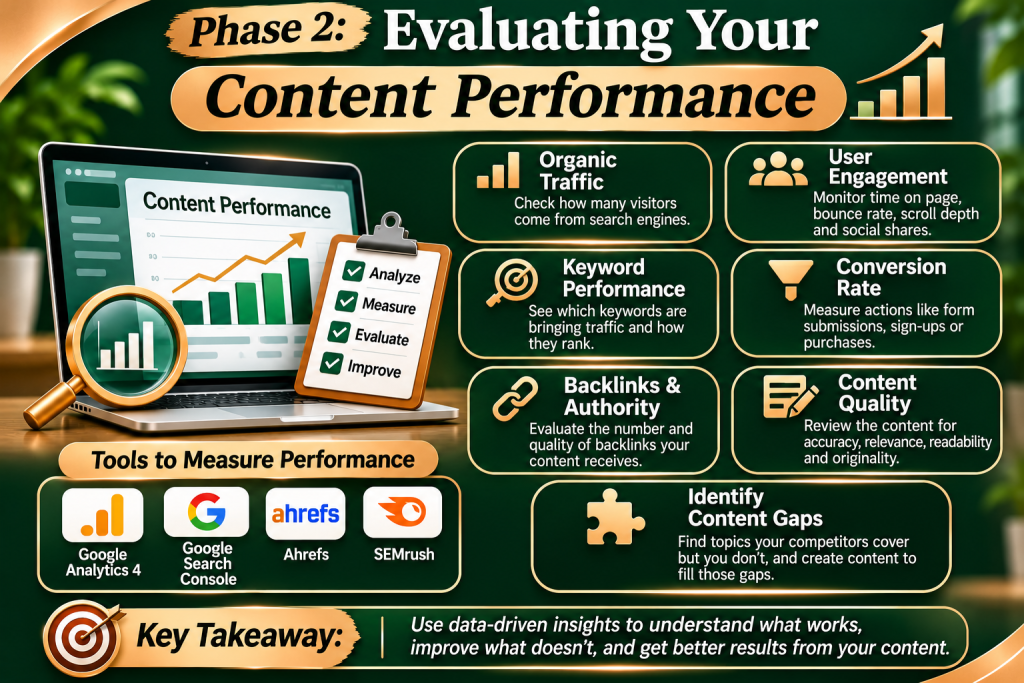
Once your inventory dashboard is ready, it is time to analyze the numbers. Every URL on your website must be categorized into one of four specific action steps: Keep, Refresh, Consolidate, or Delete.
• Keep: High clicks and high traffic. Monitor only.
• Refresh: High impressions but low clicks. Update content and metadata.
• Consolidate: Duplicate or competing topics. Merge and set up a 301 redirect.
• Delete: Zero traffic and irrelevant content. Remove entirely and return a 410 or 404 error.
These are your crown jewels. Pages in this category have high organic traffic, strong conversion rates, and rank on the first page of Google for their target keywords.
• Action: Leave them alone for now. Do not alter their URL structures or heavily modify their headings, as you might disrupt their current ranking stability. Monitor them quarterly.
These pages show massive potential. They might have high search impressions in Google Search Console but very low click-through rates (CTR). Often, they sit frustrated on pages 2 or 3 of search results.
• Action: These are your quickest wins. They require updated statistics, deeper research, expanded explanations, new images, and optimized metadata to push them to page 1.
If you find three different blog posts covering the exact same topic from slightly different angles, you are suffering from keyword cannibalization. Your pages are actively fighting each other in search results.
• Action: Pick the strongest URL out of the group. Take the best insights from the weaker articles, merge them into the master post, and set up permanent 301 redirects from the old URLs to the newly consolidated powerhouse article.
These are thin content pages, outdated event announcements, or old press releases that receive absolutely zero traffic and hold no backlink value. They dilute your website’s overall topical authority.
• Action: Safely delete these pages from your Content Management System (CMS). Ensure they return a 404 (Not Found) or 410 (Gone) HTTP status code so search engine bots stop wasting crawl budget on them.
Phase 3: The Step-by-Step Refresh Execution Strategy
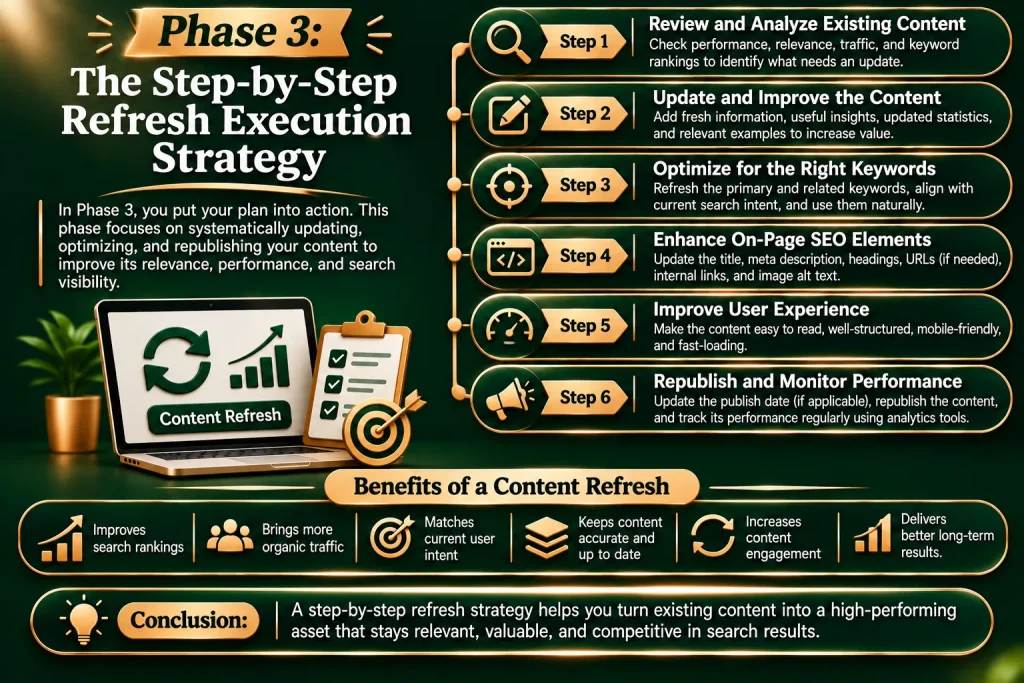
The “Refresh” category offers the highest return on investment. Updating an existing post takes a fraction of the time it takes to write a brand-new article from scratch. Follow this checklist to properly optimize your underperforming content:
1. Optimize Your Title and Meta Tags
If your impressions are high but clicks are low, your title tag and meta description are failing to attract attention. Write compelling, hook-driven headlines. Include your primary keyword naturally near the front of the title. Add power words like “Ultimate,” “Step-by-Step,” or the current year to maximize your organic click-through rate.
2. Fill In the Content Gaps
Look at the competitors currently ranking in the top 3 spots on Google for your target keyword. What details did they include that you missed?
• Add sections that address common subtopics.
• Include fresh industry statistics and link out to authoritative sources.
• Embed high-quality visual aids, infographics, or video summaries to increase user dwell time.
3. Improve Readability and Skimmability
Modern readers do not read word-for-word; they skim. If your old blog post consists of massive, intimidating walls of text, break them down. Use short sentences, active voice, punchy bullet points, and clear bold headings (H2 and H3 tags).
4. Repair Internal Links and Fix Broken URLs
An audit is the perfect time to fix user experience bottlenecks. Run your content through a link checker to find external links pointing to dead websites. Additionally, add strategic internal links from your high-authority pages to your newly refreshed articles to pass along algorithmic value (“SEO juice”).
Phase 4: Setting Up a Sustainable Audit Schedule
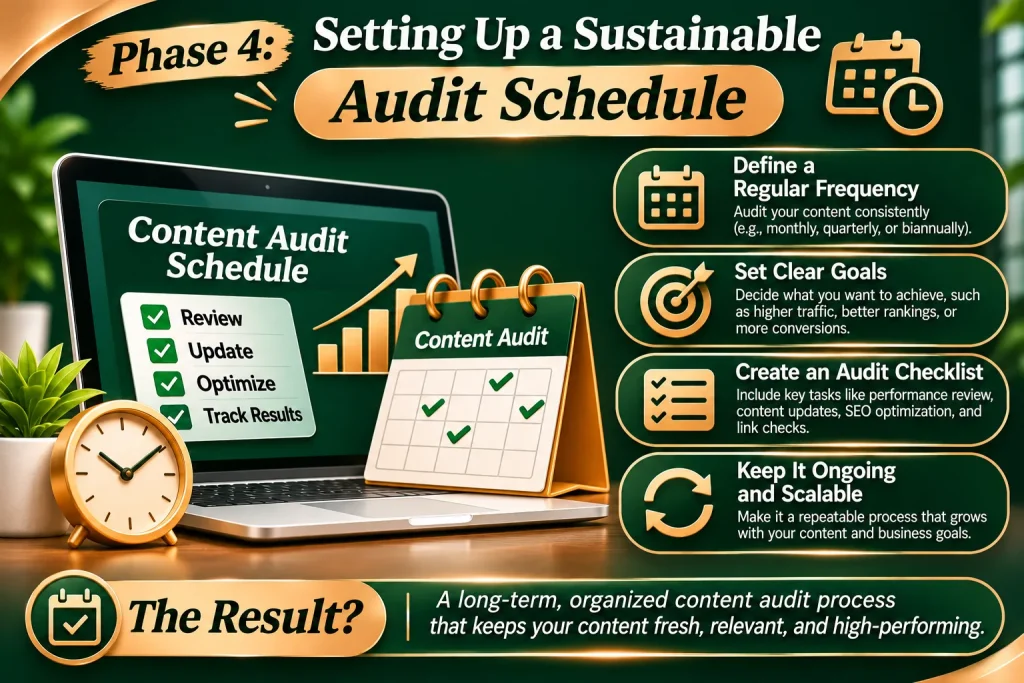
A content audit is not a one-time project; it is an ongoing maintenance cycle. For a small website with under 50 pages, an annual checkup is sufficient. However, if you run a large publication, corporate blog, or e-commerce store with hundreds of landing pages, you should audit your content inventory semi-annually or quarterly.
Create an internal content tracking calendar. Document the changes you make, track the date of the refresh, and monitor performance variations exactly 30, 60, and 90 days after updating the page. You will quickly realize that reviving dead content is one of the most cost-effective traffic generation tactics in digital marketing.
Conclusion: Clean Up Your Site to Level Up Your Rankings
Building a massive library of content means nothing if half of your pages are holding your website back. By auditing your catalog, pruning away low-quality text, and injecting new life into high-potential posts, you create a streamlined, powerful website that search engines love to rank.
Stop focusing entirely on what to write next. Look back at what you have already built, optimize its potential, and watch your organic traffic scale sustainably.
Download Your Free Content Audit Template Now!
Frequently Asked Questions

No, provided you only delete low-quality, zero-traffic pages. Deleting thin or irrelevant pages that have no backlinks actually improves your site’s health. It helps search engine crawlers focus their energy exclusively on your most valuable pages. However, if a page has good external backlinks but low traffic, you should redirect it instead of deleting it entirely.
It is standard practice to analyze data from the past 12 months. Looking at a full year of traffic accounts for seasonal fluctuations (for example, lower traffic during holidays or summer breaks) and gives you a highly accurate picture of a page’s long-term utility.
You can execute a thorough audit using completely free tools like Google Search Console and Google Analytics 4. If you want to speed up the process and analyze backlinks simultaneously, premium tools like Ahrefs, Semrush, or a crawler tool like Screaming Frog make data extraction significantly faster.
Typically, search engines re-index updated pages within a few days to a few weeks. Depending on the keyword difficulty and how drastically you improved the quality of the content, you can expect to see noticeable traffic movements anywhere from 2 to 6 weeks after republication.